
Projects and files
The project panel #
Projects hold calculations. The panel on the left lists your projects and their calculations with each one's status and governing ratio. A walk-through is in Training 2.
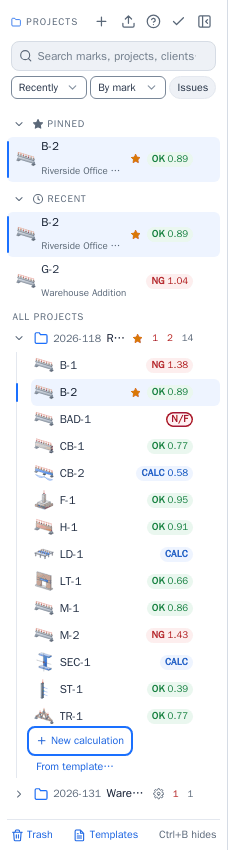
- Search finds projects and calculations by mark, project name or client.
- Recently and By mark change the order; Issues shows only the calculations that are not adequate, not feasible or have input errors.
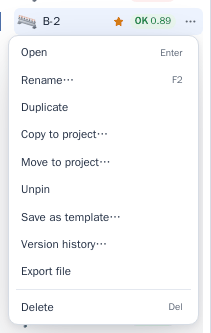
- Right-click a calculation (or open its menu) to rename, duplicate, move, delete or pin it, save it as a template, or see its version history. Drag a calculation onto another project to move it (Ctrl+drop copies).
- Deleted projects and calculations go to the Trash, where you can restore them.
- Export saves a project as a file; Import reads it back.
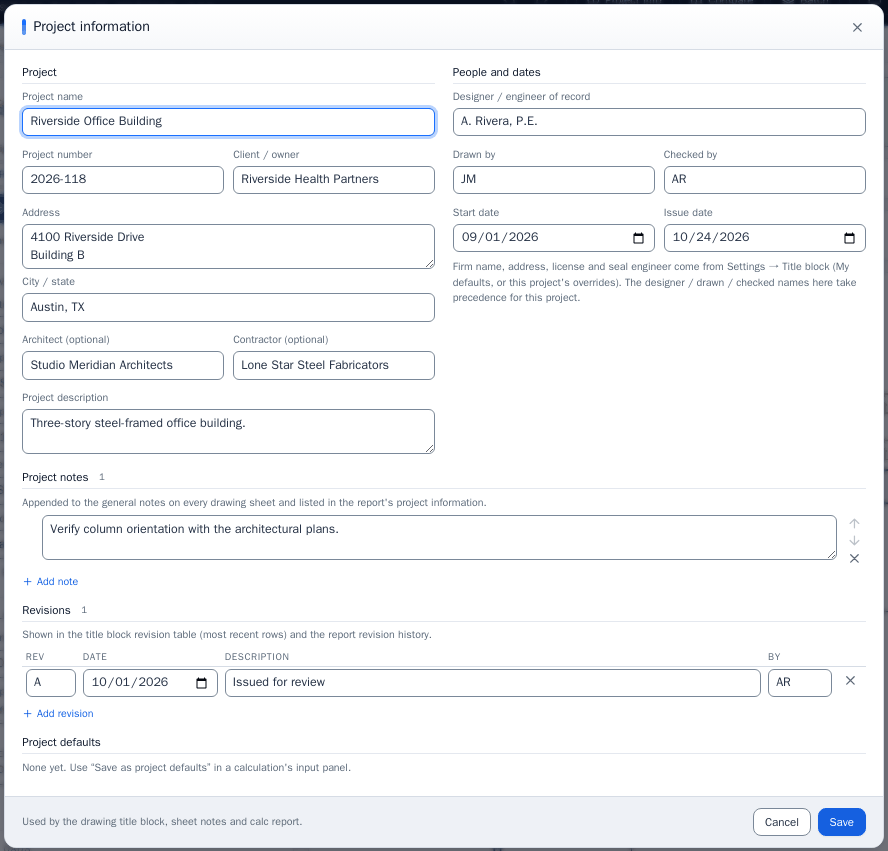
- Project info holds what the title block and the report print: name, number, client, location, architect, contractor, engineer, dates, notes and revisions.
The menu of a calculation:
Batch #
Batch designs a whole list of the same calculation type from one table: each row changes a few inputs (for example the shape and the length) of a base calculation. Paste rows from a spreadsheet, review the results, and save the rows you want as calculations in the project.